Dubai Police Fine Check Online In UAE 2026: A Complete Guide To Emirates ID, Vehicle Number And Traffic Fines Inquiry
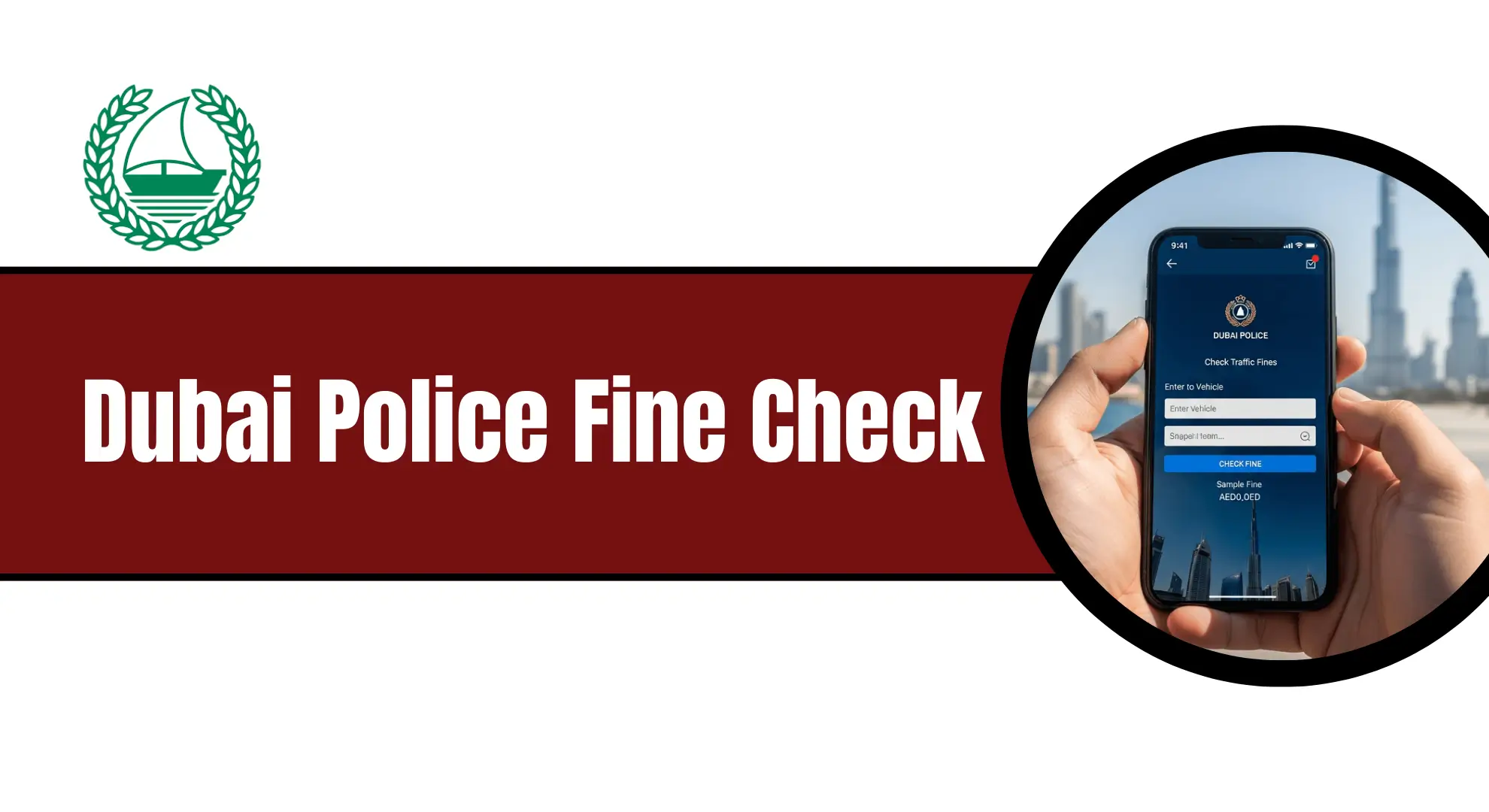
Dubai Police Fine Check Online. Dubai is famous for its modern roads and strict traffic rules. These rules help keep drivers, passengers, and pedestrians safe. But even a small mistake on the road can result in a traffic fine. Many people do not know how to check their fines, when they appear, or how to pay them correctly. Some drivers also want to know how to check fines by Emirates ID, vehicle number, number plate.
In this detailed guide, you will learn everything about the Dubai Police fine check. This article explains how to check traffic fines online using the Dubai Police website, mobile app, RTA platforms, Ministry of Interior, and Emirates Vehicle Gate.
Why Checking Dubai Police Fines Is Important
Checking traffic fines is very important in Dubai. If you ignore fines, problems can grow.
Here is why you should always check your fines:
- Unpaid fines can block vehicle renewal
- You cannot renew your driving license
- Black points may increase
- Your car may get confiscated
- Extra late fees can apply
Think of fines like electricity bills. If you do not check them, they keep adding up.
Dubai Police gives many easy ways to check fines. You do not need to visit an office. You can do everything online.
What Is a Dubai Police Traffic Fine
A traffic fine is a penalty. It is given when a driver breaks traffic rules. Some common reasons for fines are:
- Speeding
- Jumping a red light
- Using a mobile phone while driving
- Not wearing a seatbelt
- Illegal parking
Each violation has a fixed fine amount. Some violations also add black points.
Common Traffic Violations and Fines in Dubai
Dubai follows strict traffic rules to keep roads safe. If a driver breaks these rules, fines and black points are applied. Some serious violations can also lead to vehicle confiscation.
| Traffic Violation | Fine Amount | Black Points |
|---|---|---|
| Speeding (20 km/h over the limit) | AED 600 | 0 |
| Speeding (50 km/h over the limit) | AED 2,000 | 12 |
| Running a red light | AED 1,000 | 12 |
| Using a mobile phone while driving | AED 800 | 4 |
| Seatbelt violation | AED 400 | 4 |
| Driving under the influence | Decided by court | 23 + Vehicle confiscation |
Note: Black points stay on your driving record. Too many black points can suspend your license. Serious violations can also result in car confiscation.
How to Check Dubai Police Fine Online
Dubai Police has made fine checking very easy. You can check fines using different methods.
Let us go step by step.
Dubai Police Fine Check Using Official Website
The official website of Dubai Police is one of the fastest ways to check fines.
Step-by-Step Guide
- Open your phone, laptop, or computer.
- Visit the official Dubai Police website.
- Go to the Traffic Fines Inquiry section.
- Choose how you want to search.
- Plate number
- Driving license details
- Traffic file number
- Enter the required information carefully.
- Click on the Search button.
You will see all pending fines linked to your vehicle or record.
Dubai Police Fine Check by Emirates ID
This is one of the easiest methods.
Steps to Check Fine by Emirates ID
- Visit the official Dubai Police website
- Go to Traffic Services
- Click on Fine Inquiry
- Select Emirates ID option
- Enter your Emirates ID number
- Click Search
You will see:
- Total fines
- Violation date
- Fine amount
- Black points
This method is very helpful if you drive different cars.
Dubai Police Fine Check by Vehicle Number
If you remember your car plate number, this method is perfect.
Steps to Check Fine by Vehicle Number
- Open Dubai Police website or app
- Choose Fine Inquiry
- Select Plate Number
- Enter plate source
- Enter plate category
- Enter plate code and number
- Click Search
All fines linked to your car will appear.
This method works even if the car is rented.
Dubai Police Fine Check by Traffic File Number
A traffic file number is linked to your driving license.
Steps
- Go to Dubai Police website
- Open Traffic Services
- Select Traffic File Number
- Enter the number
- Click Search
This shows fines linked to you as a driver.
Dubai Police Fine Check by License Number
You can also check fines using your driving license.
Steps
- Visit Dubai Police portal
- Select Fine Inquiry
- Choose License Number
- Enter license details
- Select source
- Click Search
This is useful if you drive multiple vehicles.
Check Fines Using Dubai Police Mobile App
If you like using your phone, the Dubai Police app is a very good option.
It is simple and works anytime.
Steps to Follow:
- Download the Dubai Police app from App Store or Play Store.
- Open the app on your phone.
- Log in using UAE Pass or your registered account.
- Go to Traffic Services.
- Tap on Fine Inquiry.
- Enter the required details.
Your fine details will appear on the screen.

Check Fines Through Roads and Transport Authority (RTA) Website or App
The RTA platform also allows drivers to check traffic fines easily.
This method is helpful during vehicle renewal.
Steps to Follow
- Visit the RTA official website or open the RTA mobile app.
- Go to the Traffic Fines Inquiry page.
- Enter one of the following details:
- Vehicle details
- Plate number
- Driving license number
- Submit the information.
All outstanding fines will be shown instantly.
Check Fines Through Ministry of Interior (MOI) Website
The MOI website connects traffic systems across the UAE.
You can also use it to check Dubai traffic fines
Steps to Follow
- Open the official MOI website.
- Go to Traffic Services.
- Select Traffic Fines Inquiry.
- Enter the required information.
- Check your fine details on the screen.
This method is useful if you have fines from different emirates.
How to Check Salik Fines in Dubai?
Salik is Dubai’s toll gate system. If you pass a Salik gate without balance, a fine may be issued.
Steps to Check Salik Fines
- Visit the official Salik website
- Open the Violations section
- Enter your vehicle details
- View unpaid or paid violations
You can also see which fines you have already settled.

Dubai Police Fine Check COVID-19
During COVID-19, many fines were issued. Common COVID fines included:
- Not wearing a mask
- Breaking movement restrictions
- Violating quarantine rules
How to Check COVID Fines
COVID fines are checked the same way as traffic fines.
You can use:
- Emirates ID
- Traffic file number
- Fine number
If the fine was issued by police, it will show in the system.
Traffic Fine Inquiry by Number Plate
This is also known as number plate fine check.
It works for:
- Private vehicles
- Company cars
- Rental cars
You only need the plate details. This method is fast and accurate.
Dubai Police Mobile App Fine Check
The Dubai Police app is very helpful.
How to Use the App
- Download the Dubai Police app
- Sign in using UAE Pass or Emirates ID
- Go to Services
- Select Fine Payment
- Search using plate, license, or ID
You can:
- View fines
- Pay fines
- Dispute fines
- Download receipts
Emirates Vehicle Gate Fine Check
Emirates Vehicle Gate is another official platform.
Steps
- Visit EVG website
- Login or register
- Select Pay Traffic Fines
- Enter vehicle registration details
This system is very reliable.
How to Pay Dubai Police Fines
After checking your traffic fines, the next step is payment. Dubai offers many easy and secure ways to pay fines. You can choose the method that suits you best.
Think of it like paying a utility bill. You can pay online, at a machine, or in person.
1: Pay Dubai Traffic Fines via Emirates Vehicle Gate (EVG)
The Emirates Vehicle Gate (EVG) website helps drivers pay traffic fines online.
This method is fast and easy.
Step-by-Step Guide
- Open your internet browser on mobile or computer.
- Go to the official Emirates Vehicle Gate (EVG) website.
- From the Services menu, select Vehicles.
- Click on the option Pay Traffic Fines.
- Enter one of the following details:
- Traffic code number
- Vehicle plate number
- Driving licence number
- Click the Search button.
- View the fine details on the screen.
- Pay the fine using your debit or credit card.
After payment, save the receipt for your record.
2: Pay Fines Through Dubai Police Website or App
This is the most direct and trusted method. You can pay your fine using the official platform of Dubai Police.
How to do it:

- Visit the Dubai Police website or open the mobile app
- Log in using UAE Pass or your account
- Go to Traffic Services
- Open your fine details
- Click Pay Now
- Pay using a credit or debit card
Your payment is confirmed instantly.
3: Pay Fines Using RTA Website or Mobile App
Another easy option is using the services of Roads and Transport Authority.
How to do it:
- Visit the RTA website or open the RTA app
- Go to Traffic Fines Inquiry
- Enter your vehicle or license details
- Select the fine you want to pay
- Complete payment online
This method is commonly used during vehicle registration renewal.
4: Pay Dubai Police Fines via DubaiNow App or Website
The DubaiNow platform lets residents pay Dubai Police traffic fines easily. You can use it on your mobile phone or computer. The process is fast and simple.
Step 1: Open DubaiNow
Go to the official DubaiNow website or download the DubaiNow app from the app store on your phone.
Step 2: Sign In Using UAE Pass
Log in using your UAE Pass. This keeps your details safe and saves time.
Step 3: Search for Traffic Fine Service
After logging in, type “Traffic Fine” in the search bar at the top of the page.
Step 4: Enter Required Details
Fill in the required details such as vehicle number or Emirates ID to view your fines.
Step 5: Pay Your Dubai Police Fine
Check the fine amount and complete the payment using your debit or credit card.
Once paid, you will receive a confirmation instantly.
5: Pay Fines Through Banks and Payment Kiosks
Many banks in Dubai allow traffic fine payments.
You can pay using:
- Online banking
- ATM machines
- Payment kiosks
Availability depends on your bank. It is best to confirm with your bank first.
6: Pay Fines at Smart Police Stations (SPS)
Dubai has self-service Smart Police Stations across the city.
What you can do at SPS:
- Check traffic fines
- Pay fines
- Print payment receipts
These stations are open 24 hours and do not need staff assistance.
7: Pay Dubai Traffic Fines via Sahl Kiosks / Kiosk Machines
Sahl kiosks are self-service machines. They are placed in malls and busy public areas.
How It Works
- Visit a nearby Sahl kiosk or payment machine.
- Select the Traffic Fines Payment option.
- Enter your fine details or vehicle information.
- Check the fine amount on the screen.
- Pay using cash or a card.
- Collect your payment receipt.
This option is quick and works well if you are outside.
8: Pay Dubai Traffic Fines via Call Center 901
Dubai Police also allows fine payment through phone support. This option is helpful if you do not use online services.
Step-by-Step Guide
- Dial 901 from your mobile phone.
- Connect with a Dubai Police customer service representative.
- Share your required details clearly.
- Emirates ID or traffic file number
- Vehicle or licence details
- Confirm the fine amount with the agent.
- Pay the fine using your credit card over the call.
The representative will confirm once payment is successful.
9: Pay Fines Using Digital Wallets (Noqodi & Apple Pay)
For faster payment, some platforms support digital wallets.
Available options include:
- Noqodi
- Apple Pay
This method is useful if you prefer cash-free and quick transactions.
How to Appeal a Traffic Fine in Dubai
If you think a traffic fine is wrong, you can appeal it. You must appeal within 30 days. Think of it like complaining about a wrong electricity bill.
Step 1: Check Your Fine Details
First, check the fine carefully. Note the date, time, and reason. You can check it on:
- Dubai Police website
- Roads and Transport Authority portal
Step 2: Collect Proof
You need proof to support your appeal. Examples:
- Photos
- Documents
- Screenshots
This is like showing a receipt when a shop charges you extra.
Step 3: Submit Appeal Online
Go to the official website. Open the Fine Dispute / Appeal section. You must:
- Upload fine copy
- Attach proof
- Write a short explanation
Keep your explanation clear and honest.
Step 4: Wait for Review
A special committee reviews your case. This usually takes 5 working days. No need to visit any office.

Step 5: Get the Decision
You will receive the result online.
If approved:
- Fine is removed or corrected
If rejected:
- You must pay the fine
Discounts on Dubai Traffic Fines
Dubai Police often offers discounts.
Common Discount Types
- 50% early payment discount
- Seasonal discounts
- Road safety campaign offers
Discounts are time-based. Always check before paying.
How to Check Fines on a Rented Car?
If you were driving a rented car and received a fine message, do not worry. You can still check the fine yourself.
Available Options
- Check through Dubai Police website or mobile app
- Call the Dubai Police call center at 901
If the rental car was in Abu Dhabi, you can also use:
- TAMM app
- Ministry of Interior app or helpline 8005000
Rental companies may also contact you later, but it is better to check early.
How to Check Fines on a Rented Car
Rental car fines are common.
You can check using:
- Plate number
- Emirates ID
Rental companies may also contact you. Always verify yourself.
What Happens If You Accidentally Cross a Red Light?
Crossing a red light is a serious traffic offence in Dubai.
Penalty Details
- Fine of AED 1,000
- 12 black points added
- Vehicle confiscation for 30 days
- Vehicle release fee can go up to AED 50,000
Even if it happens by mistake, the penalty remains the same.
How Many Black Points Are Allowed in Dubai? How Can They Be Removed?
Dubai allows a maximum of 24 black points in one year.
What Happens If You Reach 24 Points?
- Your driving license may be suspended
- Suspension period depends on the case
How to Remove Black Points
You can remove black points by attending a defensive driving course offered by Dubai Police.
- Course details are available on Dubai Police website
- The course improves driving skills
- After completion, black points are removed
Payment of Dubai Traffic Fines in Installments (0% Bank Plans)
Sometimes traffic fines are very high. Paying the full amount at once can be difficult. To solve this problem, some UAE banks offer 0% interest installment plans. This means you can pay your fine in small monthly parts, without extra charges.
These plans are helpful for drivers who receive large fines and want easy payment options.
Banks Offering 0% Installment Plans for Traffic Fines
The following banks allow fine payments in installments if the fine amount meets their minimum requirement:
| Bank Partner | Minimum Fine Amount | Available Installment Periods |
|---|---|---|
| Emirates NBD | AED 5,000 | 3, 6, 12 months |
| Abu Dhabi Commercial Bank (ADCB) | AED 3,000 | 3, 6, 12 months |
| First Abu Dhabi Bank (FAB) | AED 5,000 | 3, 6, 12 months |
How These Installment Plans Work
These installment plans are interest-free, which means you only pay the fine amount. No extra fee is added.
Here is how it usually works:
- Your traffic fine must meet the minimum amount set by the bank
- You must have a credit card from the same bank
- The installment request is made through the bank’s app or online banking
- Once approved, the fine amount is divided into monthly payments
Think of it like buying a phone on monthly payments. You pay slowly instead of all at once.
Common Traffic Violations and Fines
Speeding, red light jumping, phone use, and seatbelt violations are the most common. Each has a fixed fine and black points. Always follow rules to avoid trouble.
Red Light Violation in Dubai
Jumping a red light is serious. Penalty includes:

- AED 1,000 fine
- 12 black points
- Vehicle confiscation
Even accidental violation has same penalty.
Mobile Phone Use While Driving Fine
Using phone while driving leads to:
- AED 800 fine
- 4 black points
Hands-free is allowed.
How to Pay Non-Payable or Blocked Fines?
Some fines are marked as non-payable. These usually include black points or serious violations.
How to Resolve Non-Payable Fines
You must contact the Dubai traffic authorities.
By Email
- Email: [email protected]
By Visiting Traffic Departments
- Deira Traffic Department
Opposite Terminal 2 - Barsha Traffic Department
Near Mall of the Emirates, facing Sheikh Zayed Road
They will guide you on the next steps.
Why Is It Important to Clear Traffic Fines on Time?
Unpaid traffic fines can cause problems later.
Possible Issues
- Vehicle registration renewal blocked
- Driving license renewal delayed
- Extra penalties added
Regular fine checking helps you stay stress-free.
Additional Dubai Traffic Fine Services
Dubai Police provides extra services related to fines.
Check Black Points Online
Black points are penalty points added for serious violations. You can check black points using:
- Dubai Police App
- Dubai Police Website
- RTA Website
Too many black points can lead to license suspension.
Vehicle Confiscation Fines
Some violations result in vehicle confiscation. Examples include:
- Dangerous driving
- Extreme speeding
Check confiscation details online.
Installment Payment for Large Fines
If fines are very high, installment options may be available. Some banks support this service.
How to Obtain a Dubai Police Clearance Certificate
A Dubai Police Clearance Certificate is also called a Good Conduct Certificate. This document shows that you have no criminal record in Dubai.
People usually need this certificate for:
- Job applications
- Immigration or visa process
- Legal or official work
You can apply in two easy ways.
Method 1: Apply Online (Website or Mobile App)
This is the most common and easy method.
Step 1: Visit the Official Platform
Go to the official website or mobile app of Dubai Police.
Step 2: Find the Clearance Certificate Section
Open the services menu. Click on Police Clearance Certificate.
Step 3: Submit Required Documents
Upload the following documents:
- Emirates ID
- Passport copy
- Recent photograph
Make sure all details are correct.
Step 4: Pay the Fee Online
Pay the required fee using a debit or credit card.
Step 5: Receive Your Certificate
After submission, your request is processed. The certificate is usually issued within a few days.
Method 2: Apply Through Smart Police Stations (SPS)
If you prefer in-person service, this option is helpful.
Step 1: Visit a Smart Police Station
Go to a nearby Smart Police Stations. These stations are available 24/7.
Step 2: Submit Documents
Provide the required documents:

- Emirates ID
- Passport copy
- Photograph
Step 3: Pay the Fee
Pay the fee at the station using available payment options.
Step 4: Collect the Certificate
Once the process is complete, you can collect your Police Clearance Certificate.
Important Tips to Remember
- Always use correct personal details
- Keep your documents clear and readable
- Online method is faster for most people
- SPS is useful if you need physical assistance
How to Dispute a Dubai Police Fine
Sometimes fines are issued by mistake. Dubai allows drivers to dispute fines.
Online Fine Dispute via Dubai Police Website
- Visit Dubai Police website
- Go to Traffic Fines
- Select Dispute Fine
- Upload evidence
- Submit request
Evidence can be photos or videos.
Dispute Fine Using Dubai Police App
- Open the app
- Go to Traffic Services
- Select Dispute Fine
- Attach documents
- Submit
Visit Traffic Department for Dispute
If online dispute fails, visit the traffic department.
Bring:
- Emirates ID
- Vehicle documents
- Proof of dispute
Tips to Avoid Getting Traffic Fines in the UAE
Follow some of these tips:
1: Use Driving Alert Apps
Use mobile apps that warn you about speed cameras and traffic control areas. These apps help you slow down on time.
2: Follow Traffic Rules Always
Always follow speed limits, parking rules, and traffic signals. Think of traffic rules like house rules. Following them keeps you safe and fine-free.
3: Check Traffic Fines Regularly
Check Dubai traffic fines from time to time. Use your vehicle number plate or Emirates ID. This helps you avoid late payment issues.
4: Do Not Use Mobile Phone While Driving
Never make calls or use your phone while driving. This is a common traffic violation and causes accidents.
5: Drive Responsibly
Safe and calm driving is the best way to avoid heavy fines. It also protects your life and others on the road.
FAQs
How can I check Dubai Police fines online?
Ans: You can check Dubai Police fines online through the Dubai Police website, Dubai Police mobile app, RTA website, Ministry of Interior portal, or Emirates Vehicle Gate. You only need details like Emirates ID, plate number, license number, or traffic file number.
Can I check Dubai Police fines using Emirates ID?
Ans: Yes. You can easily check your fines using your Emirates ID through the Dubai Police website or mobile app. This method is very useful if fines are linked to you as a driver.
How do I check Dubai Police fines by vehicle number?
Ans: You can check fines by vehicle number by entering your plate source, category, code, and number on the Dubai Police website or app. All fines linked to the vehicle will appear.
How long does it take for a traffic fine to appear in Dubai?
Ans: Most traffic fines appear within a few days. In some cases, it may take a few weeks depending on the type of violation and system updates.
Can I check fines for a rented car in Dubai?
Ans: Yes. You can check fines for a rented car using the vehicle plate number on the Dubai Police website or app. Rental companies may also inform you, but it is better to check yourself.
How can I pay Dubai Police traffic fines?
Ans: You can pay fines online using the Dubai Police website or app, RTA platforms, bank apps, payment kiosks, Smart Police Stations, and digital wallets like Apple Pay
Are there any discounts on Dubai traffic fines?
Ans: Yes. Dubai Police sometimes offers discounts such as 50% off for early payment or special road safety campaigns. Discounts are time-limited, so always check before paying.
Conclusion
Dubai has built a smart and strict traffic system to keep everyone safe on the road. Because of this system, checking and managing traffic fines has become very easy for drivers and vehicle owners. Today, you do not need to stand in long lines or visit offices. You can check your Dubai Police fines online within minutes using Emirates ID, vehicle number, number plate, driving license, or traffic file number.



About The Author