LuLu Balance Check 2026: A Complete Guide To Online, App, ATM, SMS, FAB, And Salary Card Methods
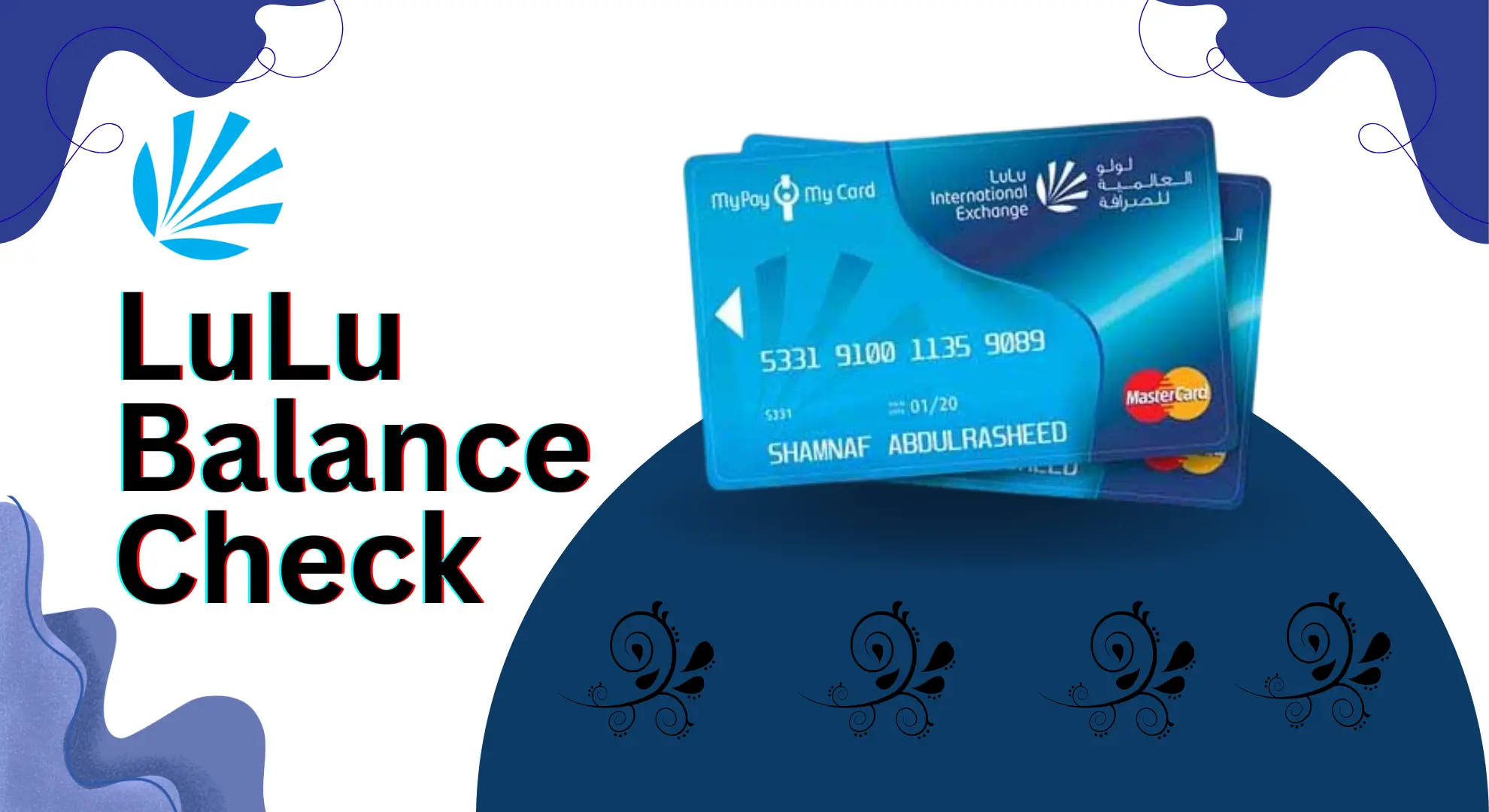
LuLu Balance Check. Managing your salary is very critical in daily life, especially when you depend on a prepaid payroll card. In the UAE, thousands of workers receive their monthly salaries through the LuLu salary card. Because this card is used for shopping, ATM cash, bill payments, and transfers, checking the balance regularly becomes necessary. A LuLu balance check helps you confirm salary credit, avoid declining payments, track spending, and plan expenses better. Many users search for easy ways like LuLu balance check online, LuLu Money app, ATM balance enquiry, SMS code, phone number, FAB LuLu balance check, and Magnati methods.
This complete guide explains every LuLu balance check option so that you can learn how to check your LuLu prepaid card balance safely, quickly, and anytime in the UAE using the method that suits you best.
What Is LuLu Salary Card?
The LuLu salary card is a prepaid payroll card. Employers in the UAE use it to send salaries to workers. It is issued by LuLu Exchange and follows UAE labor rules.
You do not need a bank account to use this card. That is why it is very popular among workers.
Key Things to Know
- Salary comes directly to the card
- You can use it like a debit card
- No overdraft risk
- Easy to track money
Because this card is used daily, checking balance regularly becomes very important.
Why LuLu Balance Check Is Important
A balance check is not just about seeing money. It helps you stay in control.
Benefits of Regular Balance Check
- Confirm salary is credited
- Avoid card decline at shops
- Plan monthly expenses
- Track spending
- Find wrong deductions early
Many workers depend only on this card. A small mistake can cause big stress. That is why LuLu balance enquiry should be a habit.
Main Options for LuLu Salary Card Balance Check
| Method | Description | Best For |
|---|---|---|
| Online Portal | Check balance using website | Internet users |
| Mobile App | Live balance and alerts | Smartphone users |
| ATM | Physical balance check | No internet |
| Helpline | Phone call enquiry | Basic phone users |
| SMS | Text message balance | Quick check |
All methods work inside the UAE and give almost real-time balance.
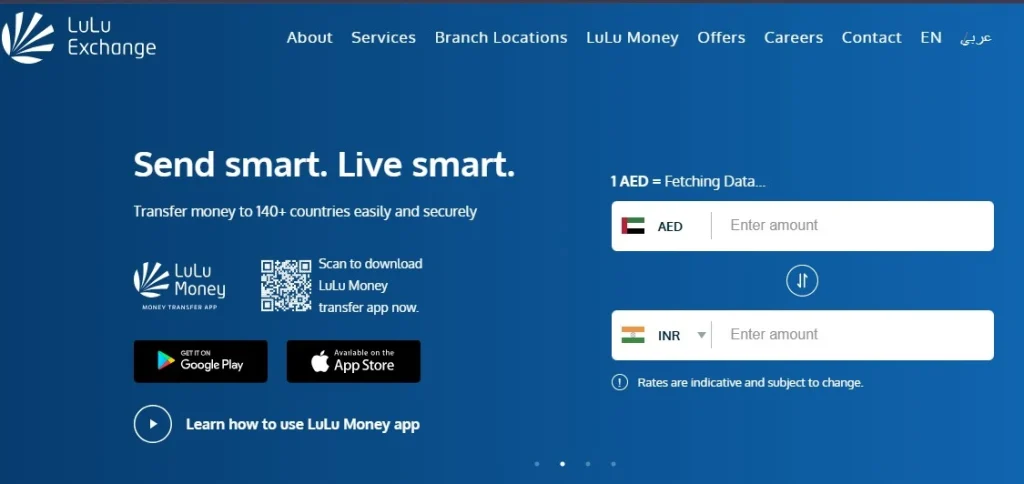
LuLu Balance Check Online ( Official Website )
This is one of the fastest digital methods. If you have internet, this option is perfect.
Step-by-Step Guide
Step 1: Open the Official Website
First, open your browser. Go to the official LuLu Exchange website. Make sure the site is original and secure.
Step 2: Login or Register
- If you already have an account, click on Login. Enter your details and sign in.
- If you are a new user, click on Register. You will need to add:
- Your full name
- Mobile number
- Email address
- A strong password
Step 3: Verify Your Account
After registration, you may be asked to confirm your email or mobile number. This step keeps your account safe. Enter the code you receive and continue.
Step 4: Go to Your Account Section
Once logged in, go to My Cards or My Account. You can find this option on the home page or in the menu.
Step 5: Select Your Card
Choose your LuLu Salary Card or shopping card. Make sure you select the correct card.
Step 6: Check Your Balance
Click on Balance, Balance Inquiry, or View Balance. Your available balance will appear on the screen.
Step 7: Review Recent Transactions
Scroll down to see recent activity. You can check:
- Salary deposits
- Spending
- Money transfers
This helps you track where your money is going.
Step 8: Stay Safe While Checking Balance
Always use your own Wi-Fi or mobile data. Avoid free public Wi-Fi. It is also a good habit to change your password regularly.
You can also see:
- Salary deposits
- Recent spending
- Transaction history
Best Time to Use
- At home
- At office
- When planning expenses
Always use your own internet. Avoid public Wi-Fi.

LuLu Balance Check Using Mobile App
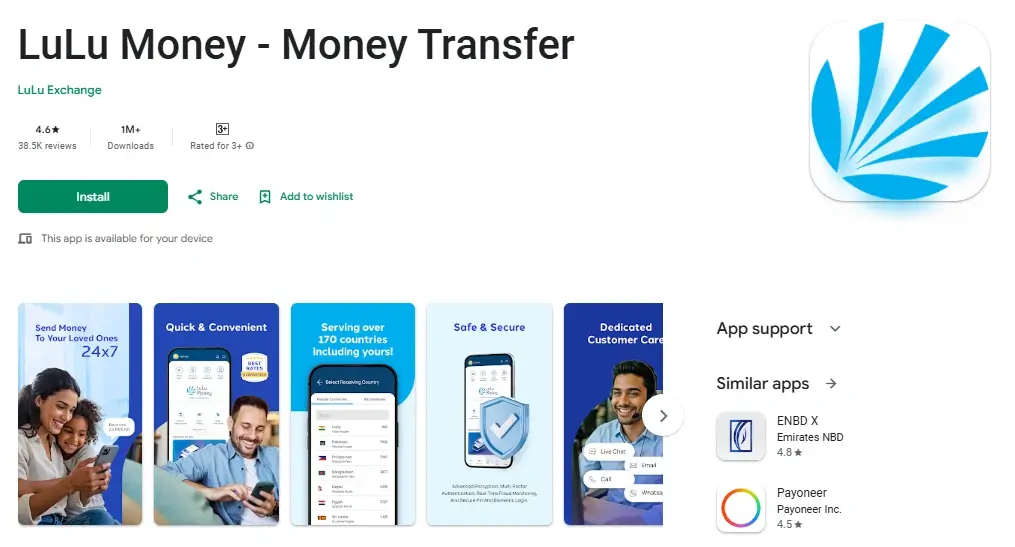
The LuLu Money app is made for daily users. It gives live balance and alerts.
How to Use LuLu Money App
Step 1: Open App Store or Play Store
- If you use iPhone, open Apple App Store.
- If you use Android phone, open Google Play Store.
Step 2: Search LuLu Money App
- In the search box, type LuLu Money.
- Make sure you install the official app only.
Step 3: Install the App
- Tap Install.
- Wait until the app downloads and installs.
- After installation, open the app.
Step 4: Sign Up or Log In
- If you already have an account, tap Log In.
- If you are a new user, tap Sign Up.
Step 5: Enter Your Details
- Add your name.
- Enter your mobile number.
- Add your email address.
- Create a strong password.
Step 6: Verify Your Account
- You will receive a code on your phone or email.
- Enter the code to confirm your account.
- This step keeps your account safe.
Step 7: Open Cards Section
- After login, go to My Cards or Cards on the home screen.
- This section shows all linked cards.
Step 8: Select Your LuLu Salary Card
- Tap on your LuLu Salary Card.
- Your available balance will appear on the screen.
Step 9: Check Transactions
Swipe down or open Transactions. You can see:
- Salary received
- Money spent
- Transfers made
This helps you track your money.
Step 10: Turn On Notifications
Enable notifications in the app. You will get alerts for:
- Salary credit
- Low balance
This keeps you updated.
Step 11: Improve App Security
Turn on phone lock. Use fingerprint or face scan if available. This protects your money.
Extra App Benefits
- Salary alerts
- Low balance warning
- Transaction history
- Money transfer
- Card block option
This is the most user-friendly method.
LuLu Balance Check by SMS
SMS method is simple and fast. No internet needed.
How to Check Balance by SMS
Step 1: Open Messages
- Open the Messages app on your mobile phone.
Step 2: Write a New Message
- Tap on New Message.
Step 3: Type the SMS
- Type BAL, add one space, then type your LuLu card number.
- Example: BAL 1234567890
Step 4: Check the Card Number
- Read the card number again.
- Make sure it is correct before sending.
Step 5: Send the Message
- Send the message to 51199.
- This is the official balance check number of LuLu Exchange.
Step 6: Receive Balance SMS
- Wait for a few seconds.
- You will receive an SMS showing your available balance.
Benefits
- Works on basic phone
- No app needed
- Instant response
Use the registered mobile number only.
LuLu Balance Check Using Phone Call
Some users prefer calling. LuLu provides a helpline for balance enquiry.
Steps to Check Balance by Call
- Dial LuLu Exchange helpline
- Choose balance enquiry option
- Enter card details
- Listen to balance
This method is useful for:
- Non-smartphone users
- Elder workers
- Quick check
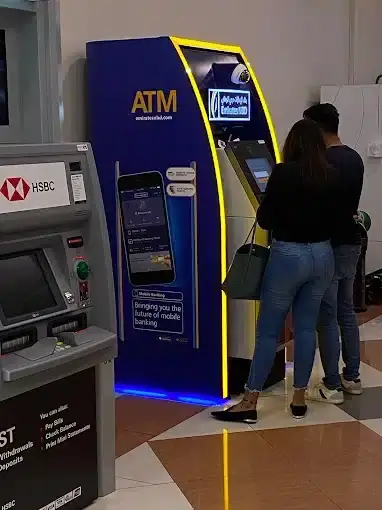
LuLu Balance Check Through ATM
If you do not use internet, ATM is a good option.
ATM Balance Check Steps
- First, find an ATM that accepts Lulu salary cards. You can find these ATMs in malls, markets, and Lulu Exchange areas.
- Go to the ATM and take out your Lulu salary card.
- Insert the card into the ATM slot properly.
- Wait for a few seconds until the ATM screen shows options.
- When asked, enter your PIN code carefully.
- From the menu, choose Balance Enquiry or Check Balance.
- The ATM will process your request. Please wait for a moment.
- Your available balance will appear on the screen.
- You may choose to print a receipt or skip it.
- Take your card back and exit the ATM safely.
Some ATMs also give a mini slip.
Where ATMs Are Found
- Malls
- Supermarkets
- LuLu Exchange branches
- Airports
ATM method works 24/7.
Online vs App vs ATM Comparison
| Feature | Online | App | ATM |
|---|---|---|---|
| Internet Needed | Yes | Yes | No |
| Live Balance | Yes | Yes | Yes |
| History | Yes | Yes | Limited |
| Alerts | No | Yes | No |
| Ease | High | Very High | Medium |
LuLu Balance Check Through LuLu Exchange Branch
If you like to talk to a real person, this method is best for you. You can visit a LuLu Exchange branch anywhere in the UAE and check your salary card balance easily.

Simple Steps to Follow
Step 1: Find a nearby branch
- Look for the nearest LuLu Exchange branch.
- You can check branch locations on the official website or ask someone nearby.
Step 2: Visit the branch
- Go to the branch during working hours.
- Walk to the customer service counter.
Step 3: Show your documents
- Give your LuLu salary card and Emirates ID to the staff.
- This is done to confirm your identity.
Step 4: Ask for balance check
- The staff member will check your card details in the system.
- They will tell you the exact balance in your account.
Step 5: Get extra help if needed
This method is very helpful if:
- Your card is damaged
- Your mobile number has an error
- Your balance is not updating
- You need guidance about your card
The staff can explain everything clearly and help fix issues on the spot.
Visit branch if:
- Card is blocked
- App not working
- Balance not updating
What to Carry
- Salary card
- Emirates ID
Staff will help quickly.
FAB LuLu Balance Check
Some LuLu cards are connected with First Abu Dhabi Bank.
FAB LuLu Balance Check Options
- FAB ATM
- FAB mobile banking
- SMS alerts
If your card is FAB linked, you can use FAB services too.
LuLu Balance Check via Magnati
Magnati is a payment system used in UAE.
Magnati Balance Check
- ATM support
- Merchant terminals
- Secure processing
Users may see Magnati name on receipts. Balance remains same.
LuLu Balance Check Code
Some users search for USSD code. At the moment, LuLu does not provide a direct USSD code.
What You Can Use Instead
- SMS method
- App
- Helpline
These methods are faster and safer.
LuLu Balance Check Number
LuLu provides official support numbers. Always use the official helpline.
Tips
- Call during working hours
- Keep card nearby
- Do not share OTP
Balance Check at LuLu Hypermarket Customer Service
You can also visit LuLu Hypermarket customer service desk.
Steps
- Visit nearest LuLu Hypermarket
- Go to customer service
- Provide card number
- Get balance details
This service is free.

How Often Should You Check Your Balance?
- Daily if you spend often
- Weekly for normal use
- After salary day always
This habit prevents surprises.
Transaction History Checking
Balance alone is not enough. Transaction history shows full money movement.
Ways to Check History
- LuLu Money App
- Online portal
- ATM slip
- Branch statement
Always review last salary credit.
What Types of LuLu Cards And Balances Are Available?
Before you check your LuLu balance, you should know which type of LuLu card you have.
Each card works in a different way. When you know your card type, balance checking becomes easy and fast.
Below are the main types of LuLu cards explained in very simple words.
1. LuLu Gift Cards
LuLu gift cards are mostly used as presents. People give them on birthdays, festivals, or company events.
Simple points to understand:
- These cards already have a fixed amount
- You cannot add more money to them
- You can use them at LuLu Hypermarkets and supermarkets
- Some gift cards also work for online shopping
Why balance check is important:
If you do not check the balance, you may not know how much money is left. This helps you plan shopping easily.
2. LuLu Prepaid Cards
LuLu prepaid cards work like a digital wallet. You can add money to them again and again.
Simple points to understand:
- These cards are reloadable
- Good for monthly budgeting
- Helpful for family spending control
- Widely used for daily shopping
Why balance check is important:
Regular balance checks help you control expenses. You also avoid card decline at checkout.
3. LuLu Shopping Vouchers
LuLu shopping vouchers are mostly given during sales and promotions.
They can be paper vouchers or digital e-vouchers.
Simple points to understand:
- Issued for limited-time offers
- Have an expiry date
- Available in physical or digital form
Why balance check is important:
If you do not check the balance on time, the voucher may expire. Checking early helps you use the full value.
Who Should Use the LuLu Money Salary Card?
The LuLu Money salary card is made for people who want an easy and safe way to receive their salary. It is useful for both workers and companies in the UAE.
1. Employees Without a Bank Account
Many workers do not have a bank account. The LuLu salary card helps them receive salary without opening a bank account. It works like a debit card and is easy to use.
2. Companies Using WPS Payroll System
Many UAE companies use the WPS payroll system. The LuLu salary card supports this system. It helps employers follow UAE labor rules easily.
3. Workers Who Need Fast Salary Access
Salary is credited directly to the card. There is no waiting time. Workers can use money the same day it is received.
4. People Who Prefer Prepaid Cards
Some users like prepaid cards instead of banks. The LuLu salary card only uses available balance. This helps control spending and avoid extra charges.

5. Safe for UAE Labor Law Compliance
The LuLu salary card follows UAE labor law. It protects employee salary rights. It also keeps employers compliant and stress-free.
Security Features That Keep Your LuLu Salary Card Safe
Your LuLu salary card is designed to protect your salary money. It uses strong security systems. These systems work in the background to keep your funds safe.
Built-In Security Features
1. PIN Protection
- Your card works only with a PIN.
- ATM and shop payments need this PIN.
- Without PIN, no one can use your card.
2. App Card Control
- You can block your card using the LuLu Money app.
- This helps if your card is lost or stolen.
- You can unblock it later if found.
3. SMS Alerts
- You get SMS messages for important actions.
- This includes salary credit and transactions.
- It helps you notice any wrong activity fast.
4. Secure Tap Payments
- The card supports contactless payments.
- It uses safe NFC technology.
- Small payments work fast and safely.
Best Safety Habits for Users
1. Check Balance Often
- Regular balance checks help you spot issues early.
- It also confirms salary credit on time.
2. Never Share PIN or OTP
- Do not tell anyone your PIN or OTP.
- LuLu staff will never ask for it.
3. Use Official Channels Only
- Always use the official LuLu website, app, or ATM.
- Avoid unknown links or fake apps.
4. Report Problems Quickly
- If you see any strange activity, report it immediately.
- Quick action keeps your money safe.
Common LuLu Balance Check Problems and Easy Solutions
Sometimes, LuLu balance check does not work as expected. Do not worry. Most problems are small and easy to fix. You do not need to block or close your account.
Below are the most common issues and their simple solutions.
LuLu Money App Not Working
If the LuLu Money app is not opening or showing balance, try these steps:
- Update the LuLu Money app to the latest version
- Restart your mobile phone
- Check your internet connection
- If the problem continues, uninstall the app
- Reinstall the app and log in again
In most cases, the app starts working after these steps.
LuLu Balance SMS Not Received
If you did not get the balance SMS, follow these steps:
- Check the SMS format carefully
- Make sure you used the correct registered mobile number
- Check network signal on your phone
- Wait for a few minutes and try again
- Send the SMS again if needed
SMS delays are common during busy hours.
LuLu ATM Card Declined
If your LuLu salary card is declined at an ATM, try this:
- Use another ATM nearby
- Remove the card and clean the chip gently
- Insert the card properly and enter correct PIN
- If the card still does not work, visit the nearest LuLu Exchange branch
ATM issues are usually temporary.
Tips for Smooth LuLu Balance Checking
- Keep your salary card number private. Do not share it with anyone.
- Always keep your mobile number updated. This helps you use the app and get alerts.
- Do not check your balance on public Wi-Fi. Public networks are not safe.
- Use only the official LuLu website or mobile app. Fake sites can steal your details.
FAQs About LuLu Balance Check
How can I check my LuLu salary card balance?

Ans: You can check your LuLu balance in many ways. You can use the LuLu website, mobile app, ATM, SMS, or phone call. All methods are easy and safe.
Can I check LuLu balance online?
Ans: Yes. You can check your balance online using the official LuLu Exchange website. You need your card number and internet access.
Which app is used for LuLu balance check?
Ans: You can use the LuLu Money app. It shows live balance, salary alerts, and spending history. It works on Android and iPhone.
Is LuLu balance check free?
Ans: Yes. All LuLu balance check methods are free. No extra charges apply for balance enquiry.
Can I check LuLu balance without internet?
Ans: Yes. You can check your balance using ATM, SMS, or phone call. These methods do not need internet.
How do I check LuLu balance by SMS?
Ans: Open your message app. Type BAL space your card number. Send it to 51199. You will get a balance SMS in seconds.
What is the LuLu balance check number?
Ans: LuLu provides an official customer service number. You can call the helpline and follow voice instructions. Keep your card with you before calling.
Can I check LuLu balance at ATM?
Ans: Yes. Insert your LuLu salary card in any supported ATM. Enter PIN and select balance enquiry. Your balance will show on screen.
Is FAB LuLu balance check possible?
Ans: Yes, if your LuLu card is linked with FAB. You can check balance using FAB ATM or services. Not all LuLu cards are FAB linked.
What is LuLu balance check Magnati?
Ans: Magnati is a payment system used in the UAE. Some LuLu card transactions show Magnati name. Your balance remains correct and safe.
Conclusion
LuLu balance checking is easy when you know what to do. The LuLu salary card helps workers receive and use their salaries safely in the UAE. That is why balance checking should be part of your daily money routine. Whether you use the online website, the LuLu Money app, an ATM, SMS, a phone call, or visit a branch, every option is simple and reliable.


About The Author