How To Check TRN Number In UAE 2027: Complete Guide
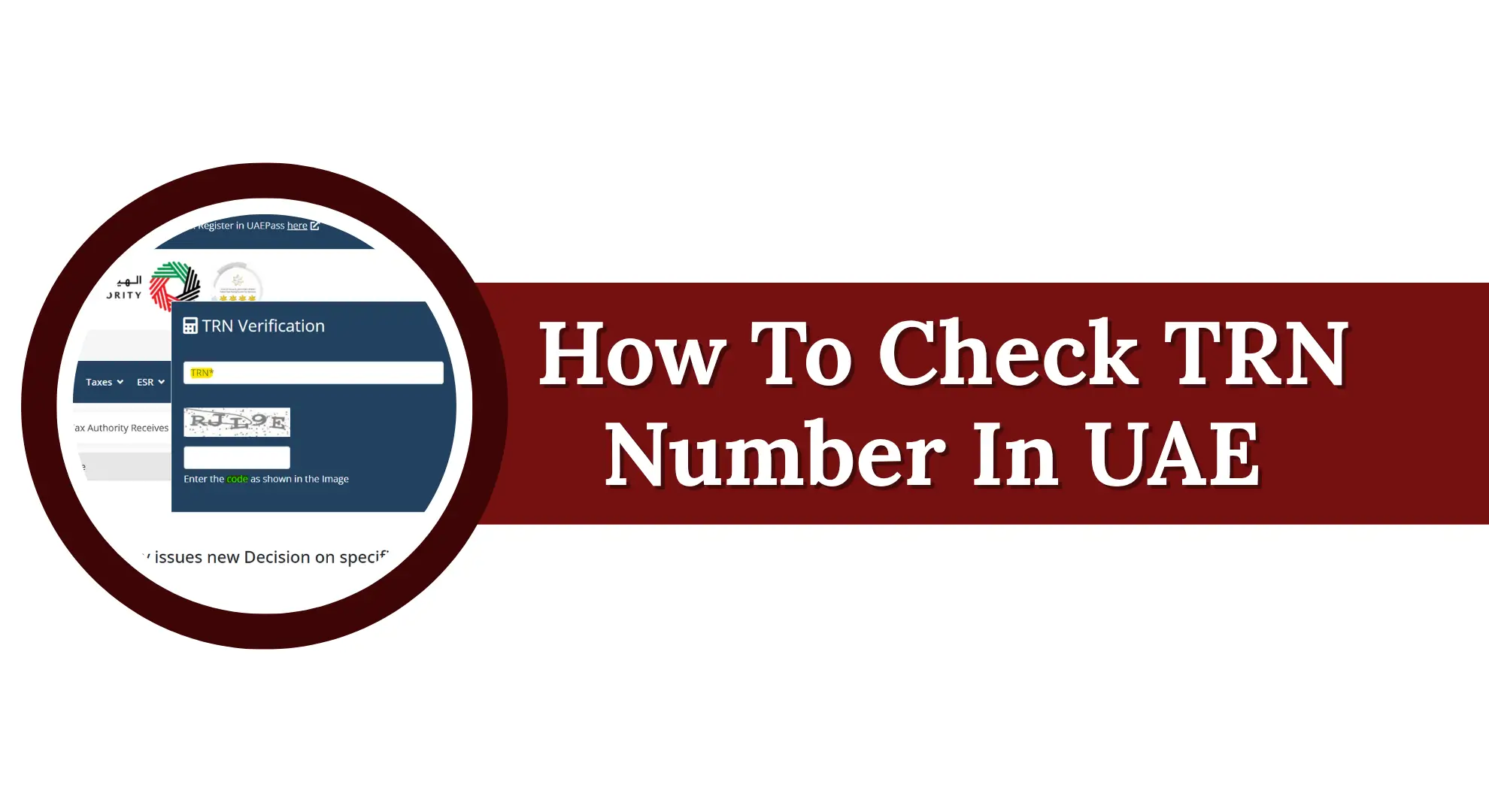
How To Check TRN Number In UAE 2027. When you receive a VAT invoice from a supplier in the UAE, one small number deserves your attention before making a payment: the Tax Registration Number or TRN. It is a unique number linked to a business registered for VAT with the Federal Tax Authority (FTA). Checking this number helps you confirm that the supplier’s VAT details are genuine and match the business information on the invoice.
A wrong, inactive or mismatched TRN can create problems with your tax records and may affect your ability to claim eligible input tax. This is why checking a supplier TRN before paying a VAT invoice is a useful step for businesses, accountants, traders and anyone who regularly deals with VAT invoices in the UAE. The FTA provides an online verification service that makes this check simple and quick.
In this guide you will learn what a UAE TRN is, who needs to register for VAT, why the TRN is important and how to check a Tax Registration Number online.
What Is a TRN in the UAE?
TRN stands for Tax Registration Number. It’s a 15-digit code that the Federal Tax Authority (FTA) hands out to every business that registers for VAT. This system began on 1 January 2018, and since that date, this number has acted as the official tax identity card for every registered company.
Only a business holding an active TRN is legally permitted to add VAT charges to its invoices. This number has to appear on tax invoices, credit notes, VAT return filings, and any other paperwork tied to tax matters. Because of this, checking a supplier’s TRN before paying them has become a routine safety step for smart business owners across the country.
Read Also: What is ADIB RIM Number in Banking? Complete Guide
Who Needs to Get a TRN?
A TRN is required for any business local or foreign that supplies taxable goods or services in the UAE. This is not limited to big companies with office buildings it also applies to:
- Freelancers and self-employed people who earn taxable income
- Small shop owners and traders
- Importers and exporters (a TRN also helps with customs clearance)
- Service providers such as consultants, agencies, and contractors
In short, if your business activity is taxable under UAE VAT law, you are expected to hold a valid TRN and use it correctly on every tax document.
Why Is the TRN So Important for a Business?
A TRN is not just a random number it plays a central role in how VAT works in the UAE. Here is why it matters so much.
It Lets You Claim Back VAT
When your business pays VAT on purchases, you can only get that money back (called input tax credit) if the seller has a genuine, active TRN. Checking your supplier’s TRN before you pay makes sure that your input tax claim will not get rejected later.

It Builds Trust With Customers and Partners
A business that proudly shows a correct TRN on its invoices looks more professional and trustworthy. It tells customers and partners, “We are properly registered and we follow the law.” This small detail can make a real difference in long-term business relationships.
It Keeps You on the Right Side of the Law
Every VAT-registered business must print its TRN on all official papers connected to taxable deals invoices, contracts, letters and returns. Skipping this step can lead to fines from the FTA.
It Stops Fraud and Fake Billing
Sadly, some businesses try to charge VAT without actually being registered. This is illegal and it can trick honest buyers into losing money. Verifying a TRN before you pay protects you from this kind of scam.
Why Should You Always Verify a TRN Before Paying?
Many business owners skip this step because they assume every invoice is genuine. But taking two minutes to check a TRN can save you from serious losses. Here’s why it is worth doing every single time.
- It protects you from fraud. Fake invoices and false tax charges are real problems. A quick TRN check shows you instantly if the number is genuine.
- It safeguards your input tax credit. If you later find out the TRN on an invoice was wrong or fake, you lose the right to claim that VAT back permanently. That money is simply gone.
- It helps you avoid fines. Doing business with an unregistered supplier, even by mistake, can put your own company in trouble with the FTA during an audit.
- It confirms the business is legally operating. A valid TRN means the FTA has officially approved that company to charge VAT and take part in taxable trade.
The Structure of a UAE TRN
Every TRN issued in the UAE follows one fixed pattern. It always has exactly 15 digits and always begins with the number “1”. If you ever see a TRN with 16 digits, or one that does not start correctly, it is not valid full stop.
| Section | Digit Position | What It Means |
|---|---|---|
| First block | Digits 1–3 | FTA identifier always starts with 100 |
| Middle block | Digits 4–12 | A unique number given by the FTA to that business |
| Last block | Digits 13–15 | Check digits used to confirm the number is correct |
Quick rules to remember:
- All valid TRNs in the UAE begin with 100.
- A 16-digit number is never a real TRN no exceptions.
- If a supplier invoice shows a number that does not match this format ask them to recheck their certificate and send a corrected invoice before you make any VAT payment.
Who Must Register
Not every business is required to register. It depends on how much taxable turnover you generate each year.
| Registration Type | Annual Threshold | What Happens If You Don’t Comply |
|---|---|---|
| Mandatory Registration | Above AED 375,000 in taxable supplies/imports | AED 10,000 penalty for late registration |
| Voluntary Registration | AED 187,500 and above | No penalty registration is optional |
This rule applies equally to mainland companies and free zone businesses. Once registered, your 15-digit TRN must be printed on:
- Tax invoices
- Credit notes
- VAT returns
- Any other document required under UAE VAT law
How To Check a TRN Number in UAE: Step-by-Step Guide
The good news is that verifying a TRN is completely free and you do not even need to create an account. Anyone a business owner an accountant or even a regular customer can check a TRN on the official FTA website in under a minute.

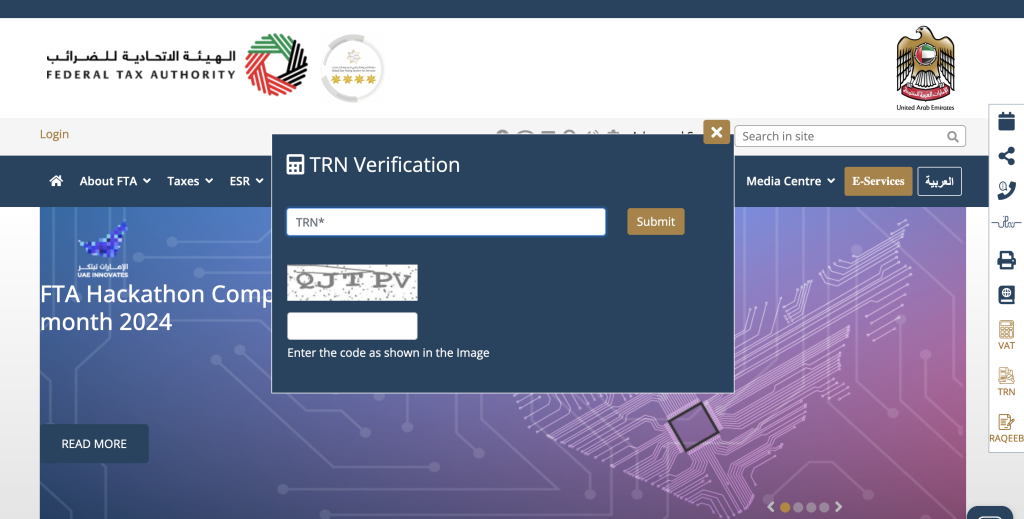
Step 1: Open the FTA Website
Go to the official Federal Tax Authority website. On the homepage, look for the “TRN” icon, usually placed on the side panel of the page.
Step 2: Enter the TRN Number
Type in the full 15-digit TRN that you want to check. Double-check every digit before moving forward a single wrong digit will give you an incorrect result.
Step 3: Complete the Captcha and Search
Fill in the captcha code shown on the screen, then click the “Search” or “Verify” button.
Step 4: Review the Result
The portal will show you the legal business name that is registered against that TRN. Compare this name carefully with the name printed on your supplier’s invoice and trade licence. If the names match, the TRN is genuine. If they don’t match or if no result appears, treat this as a warning sign.
How to Verify a TRN Using EmaraTax
EmaraTax is the FTA’s all-in-one digital platform for managing VAT accounts filing returns, and handling tax matters. If you already use EmaraTax for your business, you can check a TRN directly from your dashboard without leaving the platform.
Here’s how:
- Log in to your EmaraTax account through the official portal.
- Find the TRN Verification option inside the services menu.
- Type in the 15-digit TRN you want to check.
- View the result if the TRN is active, the system will display the registered business name.
One advantage of using EmaraTax is that it connects to the FTA’s records in real time, so the information you see is always current. That said, if you don’t have an EmaraTax account, don’t worry the public FTA website offers the exact same verification for free, with no login needed.
How to Find Your Own Company’s TRN
Sometimes business owners forget where to find their own TRN especially if it’s been a while since registration. Here are the easiest places to look:
- Your VAT Registration Certificate: Your TRN is printed on the first page of this certificate which the FTA emailed you once your VAT registration was approved.
- Your EmaraTax Dashboard: Simply log in and you’ll see your TRN listed clearly under your business profile.
- Tax Invoices You’ve Already Issued: Every invoice your company has sent to a customer should already carry your TRN at the top.
- Filed VAT Returns: Your TRN appears on every return you have submitted to the FTA.
Lost your certificate? No problem. Log in to EmaraTax, go to “My Accounts,” then “Certificates,” and download a fresh copy anytime you need it.

What to Do If a Supplier Charges VAT Without a Valid TRN
This situation happens more often than people expect and it needs quick action to protect your money.
- Hold the VAT payment. Don’t pay the VAT portion of the invoice until the supplier gives you a correct, valid TRN.
- Check the FTA portal yourself. The supplier might have simply made a typing mistake on the invoice while still being properly registered.
- Ask for a corrected invoice. The new invoice should clearly show the full correct 15-digit TRN.
- Report the supplier if needed. If they turn out to be unregistered, charging VAT without a TRN is against UAE tax law and can lead to fines up to AED 20,000 for them.
- Never claim input tax on a bad invoice. Claiming VAT back on an invoice with no valid TRN puts your own business at risk during an FTA review.
- Keep records of everything. Save the original invoice, your messages with the supplier, and screenshots of your FTA verification checks.
What to Do If TRN Verification Fails
If you check a TRN and the system shows no result, or the name does not match, don’t ignore it. Take these steps right away.
- Pause all VAT dealings with that supplier until the issue is sorted out.
- Contact the supplier and ask them to double-check their number and send you their official TRN certificate.
- Recheck the corrected TRN on the FTA portal to confirm it is now active.
- Compare the certificate details with the number they’ve given you the name and number must match exactly.
- Report suspected fraud to the FTA through their online form, email or helpline, and keep every piece of communication as proof.
- Get legal advice if a large amount of money is involved or the supplier stops responding.
- Inform your bank if fraud is confirmed and go back to review any past payments made to that supplier.
- Update your internal process so that checking a TRN becomes a required step for every new and existing supplier from now on.
Keeping Proof of TRN Verification for Audits
During an FTA audit, officers will often ask for proof that you checked your suppliers’ TRNs before dealing with them. To stay ready, always:
- Save a screenshot of the FTA verification result
- Write down the date you did the check
- Keep a copy of the supplier invoice
- Store the supplier VAT registration certificate
Having this proof organized and ready can shorten the audit process and protect your business from unnecessary penalties.
Penalties and Risks Linked to Invalid TRNs
Using or accepting an invalid TRN is not a small mistake in the eyes of the FTA. Here’s a breakdown of what can go wrong.
| Type of Violation | Penalty / Risk | Details |
|---|---|---|
| Late VAT Registration | AED 20,000 | Charged if a business fails to register within 30 days of passing the mandatory threshold |
| Late VAT Return Filing | AED 1,000 – AED 2,000 | AED 1,000 for the first late filing; AED 2,000 if it happens again within 24 months |
| Poor VAT Record-Keeping | AED 10,000 – AED 50,000 | AED 10,000 for a first-time issue; AED 50,000 for repeat cases |
| Loss of Input Tax Credit | Permanent financial loss | VAT paid against an invalid TRN can never be claimed back |
| Legal Trouble | Investigation, audits | Can lead to closer scrutiny, license issues, or even suspension |
| Late VAT Payment | Up to 300% of the tax owed | Starts at 2% immediately 4% after 7 days then 1% daily afterward (capped at 300%) |
| Incorrect VAT Returns | AED 1,000 – AED 2,000 | Higher penalty applies for repeated mistakes |
| E-Invoicing Non-Compliance | AED 100 per invoice (max AED 5,000/month); AED 5,000/month for not appointing a service provider | Applies once a business enters its mandatory e-invoicing phase |
VAT Registration Thresholds in the UAE
Not every business needs a TRN. Whether registration is required depends on your yearly taxable turnover.
| Registration Type | Yearly Taxable Turnover | What You Need to Do |
|---|---|---|
| Mandatory Registration | Above AED 375,000 | Must register within 30 days of crossing this amount |
| Voluntary Registration | AED 187,500 – AED 375,000 | Can register anytime; no penalty for registering late |
| No Registration Needed | Below AED 187,500 | TRN is not required; VAT cannot be charged |
| Non-Resident Businesses | Any taxable supply in the UAE | Must register before making the first taxable sale in the country |
TRNs and the Future of E-Invoicing in the UAE
The UAE is moving towards a fully digital invoicing system, and a verified TRN will sit at the center of it. Under the new phased rollout e-invoicing becomes compulsory for large businesses from January 2027 and for all other businesses from July 2027. Once this rule applies to your business, every structured digital invoice you generate must carry a valid, checked TRN as a required field. This makes TRN verification not just good practice anymore, but a legal requirement built into the invoicing system itself.

FAQs About TRN Verification in UAE
Is TRN verification free in the UAE?
Ans: Yes, checking a TRN on the FTA website or through EmaraTax is completely free and does not require any account or login.
How many digits does a UAE TRN have?
Ans: A valid TRN always has exactly 15 digits and starts with the number 100. Any number with 16 digits is not valid.
Can I check someone else’s TRN, not just my own?
Ans: Yes. Anyone can verify any business’s TRN through the public FTA portal, as long as they have the correct 15-digit number.
What happens if I pay VAT on an invoice with a fake TRN?
Ans: You will not be able to claim that VAT back as input tax credit. This becomes a permanent financial loss for your business.
Where can I find my own company’s TRN if I’ve lost the certificate?

Ans: Log in to your EmaraTax account, go to “My Accounts,” then “Certificates,” and download a fresh copy of your VAT registration certificate.
What should I do if a supplier’s TRN does not verify correctly?
Ans: Stop the VAT payment right away, contact the supplier to confirm the correct number, and ask for a corrected invoice before proceeding.
Is verifying a TRN mandatory under UAE law?
Ans: While it is not a separate legal requirement on its own, failing to check a TRN can lead to loss of input tax credit and problems during an FTA audit making it a necessary business practice.
Does EmaraTax show different results than the FTA website?
Ans: No, both platforms pull data from the same FTA database so the verification result will always be the same.
What is the penalty for charging VAT without a valid TRN?
Ans: A business found charging VAT without proper registration can face penalties of up to AED 20,000 under UAE VAT law.
Will TRN verification become compulsory with e-invoicing?
Ans: Yes. Once the UAE’s e-invoicing mandate applies to a business (from January 2027 for large businesses and July 2027 for others) a verified TRN will be a required field on every digital invoice.
Conclusion
Checking a TRN takes less than a minute, but skipping this step can cost your business permanent losses and unwanted attention from the FTA. Whether you use the public FTA portal or your EmaraTax account, make TRN verification a standard habit before you accept or pay any tax invoice. It’s a small action that protects your money, your reputation and your compliance record.




About The Author